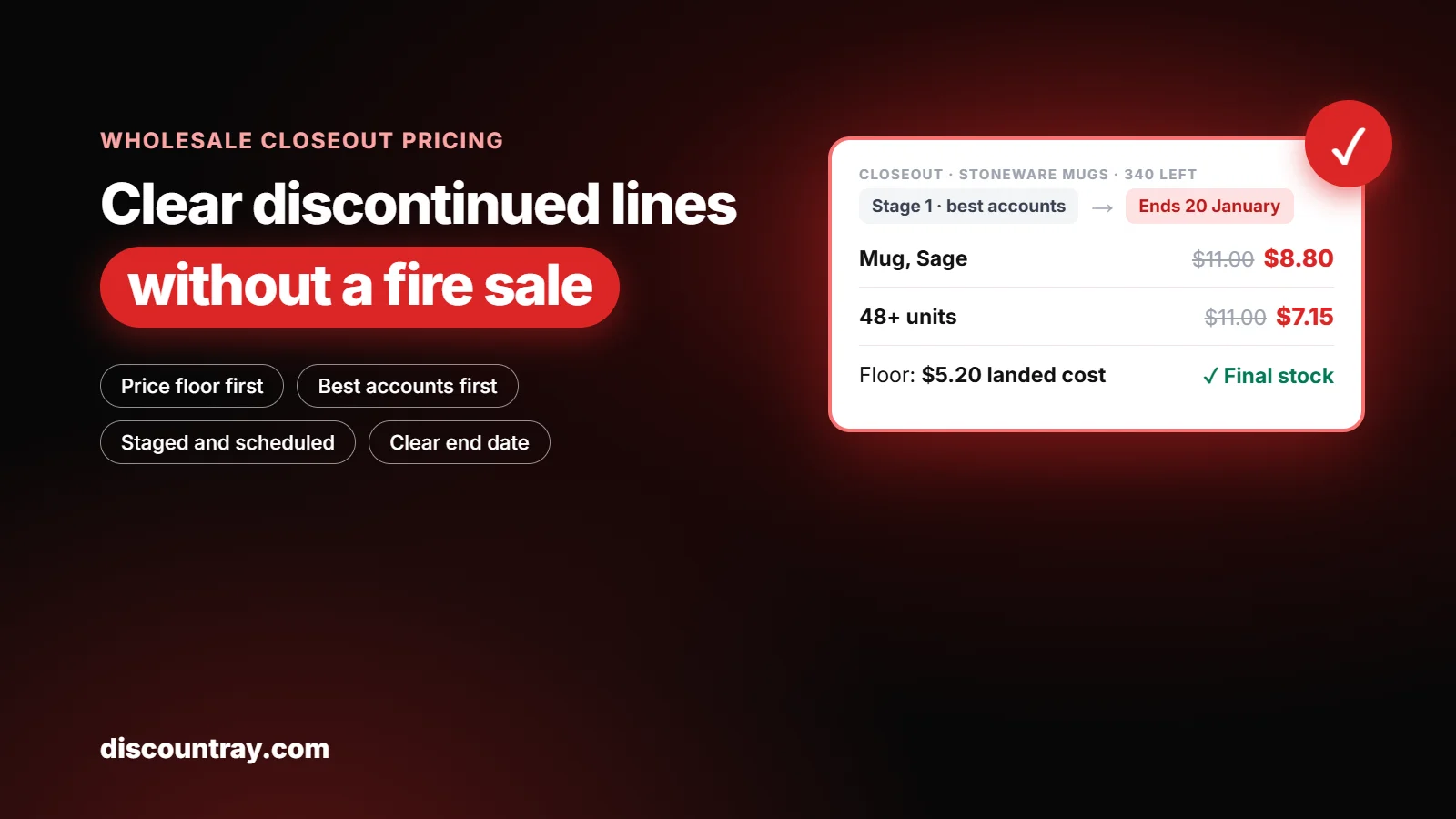
Wholesale closeout pricing works best as a short, staged markdown offered to your trade accounts first, with a price floor at your landed cost, two or three price steps over a set number of weeks, and a better price for buyers who take the rest of a line. Run it as a time-limited price rule for chosen customers instead of cutting the product’s price, so retail shoppers and other accounts don’t see a fire sale.
This guide covers how to tell a closeout from a clearance, how to find closeout candidates in Shopify’s reports, how to set the price steps, who gets the first offer, how to set it up, and when to stop and sell the rest to a liquidator.

Wholesale closeout pricing in three stages, from a first trade offer to the price floor
Key takeaways
A closeout is a discontinued line you won’t restock. Price it to finish, not to boost sales of something you’ll keep selling.
Set a floor first. For most brands it’s the landed cost of the unit, and you don’t go below it except in a deliberate liquidation.
Offer the closeout to your best trade accounts before anyone else. It’s a favor they’ll remember, and it usually clears stock at a higher price.
Shopify’s sell-through rate and days of inventory remaining reports help you spot closeout candidates. Both are explained in the Shopify Help Center.
Be careful with “final sale.” Shopify’s return rules apply to all orders, including B2B, so marking a product final sale affects retail orders too.
Give the closeout an end date. An open-ended closeout teaches buyers to wait for your next one.
340 units of a color nobody asked for
Every brand has a version of this story. It’s the first week of January, you’re doing the stock count, and you find 340 units of a colorway you decided to drop in September. The new range ships in March. The warehouse wants the space. And the tempting move is to cut the price on your website by half and hope it goes.
That move often costs more than it saves. Retail shoppers who see a 50% price drop on a product your retailers still stock will ask those retailers why they’re paying more. Your best accounts, who might have taken 60 units each at a fair closeout price, find out from a customer. And the stock that’s left after the website sale goes to a liquidator for less than it cost you.
There’s a calmer way, and it starts with knowing what kind of problem you have.
Closeout, clearance or liquidation?
These three words get used as if they mean the same thing. They don’t, and the difference changes how you price.

Closeout vs clearance vs liquidation compared for Shopify wholesale stock
Closeout | Clearance | Liquidation | |
|---|---|---|---|
What it is | A line you’ve discontinued and won’t restock | Seasonal or slow stock in a line you keep | Selling what’s left in bulk to a reseller |
Who buys | Your trade accounts first, then retail | Mostly retail shoppers | A liquidator or jobber |
Goal | Finish the line at the best total recovery | Make room for new season stock | Turn the last stock into cash, fast |
Price | Staged, with a floor at landed cost | Often a planned seasonal markdown | Often well below cost |
Risk | Upsetting retailers who still stock the line | Training shoppers to wait for sales | Your stock showing up cheap elsewhere |
If you’re clearing last season’s stock in a line you’ll keep selling, a spend-based offer often works better, and our post on discount thresholds on Shopify explains how those work. This post is about the first column: stock you’re done with.
How to find closeout candidates in Shopify
Before you price anything, list what’s actually discontinued and how much is left. Shopify’s inventory reports help with the second part. Here’s what each one tells you, according to the Shopify Help Center on inventory reports:
Report | What it shows | How to use it for closeouts |
|---|---|---|
Products by sell-through rate | Units sold ÷ (units sold + units still in stock), over the most recent 30 days | Low sell-through in a discontinued line means it won’t finish on its own |
Inventory remaining per product | Days of stock left at the average daily sales of the last 28 days | If days remaining runs past your new range’s launch, act now |
ABC product analysis | Grades variants by share of revenue in the last 28 days | C-grade variants in a dropped line are first in line |
Month-end inventory value | Cost per item × on-hand units at month end | Shows how much money is sitting in the line |
Two notes from the same Help Center page are worth knowing. Inventory history in these reports goes back only to 1 October 2023, and from 1 October 2026 the reports measure “On hand” quantity instead of “Available.” If your numbers look different from last year’s, that change may be why.
Inventory value needs a cost per item on each variant. If you haven’t entered costs, add them before you plan a closeout, because the price floor depends on them.
Set the floor before you set the price
A closeout price without a floor turns into a race to the bottom. Work out the floor for each variant first.
Landed cost is what one unit cost you to have on your shelf: the product, freight, duties and any inbound handling. For most brands, that’s the floor for trade closeouts. You can go below it in a liquidation, but that should be a decision, not something that happens because nobody checked.
Here’s a worked example for a homewares brand closing a ceramic mug line. The figures are made up to show the method.
Line | Amount | Note |
|---|---|---|
Normal wholesale price | $11.00 | What retailers paid all year |
MSRP | $24.00 | Printed on the line sheet |
Landed cost per mug | $5.20 | Product, freight and duty |
Units left | 340 | Across four colors |
Stage 1 closeout price | $8.80 | 20% off wholesale |
Stage 2 closeout price | $7.15 | 35% off wholesale, for 48 units or more |
Stage 3 floor | $5.20 | At landed cost, final four weeks |
If the brand sells all 340 mugs at Stage 1, it recovers $2,992. If half go at Stage 1 and the rest at Stage 2, it recovers about $2,711. A liquidator offer at $3 a unit would recover $1,020. The staged approach is slower, but it’s worth roughly two to three times as much in this example.

Wholesale closeout recovery compared: stage 1, stage 2, floor and liquidation for 340 units
Three price stages, each with an end date
A good closeout moves in steps. Each step has a price, a group of buyers and an end date. When the date passes, the next step starts.
Stage 1: Your best accounts, at a modest discount (two weeks)
Email the accounts that sold the line well and offer the remaining stock at around 15 to 25% off your normal wholesale price. Many will take more than usual, because a closeout lets them run their own promotion at a healthy margin. Give them a date: “This price is yours until 20 January.”
Stage 2: All trade accounts, with a quantity tier (three weeks)
Open the closeout to every wholesale account. Keep the Stage 1 price for small orders, and add a better price for buyers who take a full case or more. That tier is what clears the bulk of the stock, because it rewards one buyer for taking 48 units instead of six buyers taking 8.
Stage 3: Floor price, then decide (four weeks)
Drop to the floor for anything left. If units remain at the end of Stage 3, you have three honest choices: keep a small amount for warranty replacements, sell the rest to a liquidator, or donate it. Make that decision on a fixed date, not when the warehouse complains.
“Yeah, but won’t my retail customers notice?”
Not if you keep the closeout in your wholesale channel. The product’s retail price on your store can stay where it is while trade accounts get the closeout price. If you also want a retail sale later, run it after the trade stages, and talk to accounts who still carry the line before you do.
Who gets the first offer
The order you offer a closeout in matters as much as the price. Here’s the sequence we recommend:

Who to offer wholesale closeout stock to first: four groups in order
Accounts that sold the line well. They know it, they have customers for it, and they’ll take the most.
Accounts that stocked it and still have some. Offer them a top-up at the closeout price, so their shelf price and yours don’t clash.
All other trade accounts. Open the Stage 2 tier to everyone with a wholesale login.
Retail shoppers and liquidators, last. Only after your trade channel has had a fair chance.
Step 2 deserves a moment. A shop that paid full wholesale for 24 mugs in November may feel let down when the same mug appears at 35% off in January. Some brands offer those accounts a small credit or a top-up at the new price. You don’t have to, but a short note before the offer goes out saves you a difficult phone call.
Where closeout pricing lives in Shopify
There are a few places a closeout price can live. Each has trade-offs.
Method | How it works | Good for | Watch out for |
|---|---|---|---|
Change the product price | Lower the price on the product itself | Retail clearance only | Every customer sees it, including other trade accounts |
Compare-at price | Show the old price crossed out next to the new one | Retail closeout after trade stages | Shopify shows the sale only if compare-at is higher than the price |
B2B catalog fixed prices | Set a closeout price in a wholesale catalog | Plans with B2B, simple cases | Outside Plus, three active catalog assignments in total |
A pricing app rule | A time-limited price for chosen customers or tags | Staged closeouts by account group | Test the rule on a draft order before launch |
Shopify’s sale pricing guide says the sale shows only when the compare-at price is higher than the price, and that a compare-at value of $0.00 isn’t the same as an empty field. Shopify’s B2B catalogs guide explains that fixed prices in a catalog override any overall percentage adjustment, which is useful if your closeout covers only a few variants.
A warning about “final sale”
It’s tempting to mark closeout stock as final sale. Shopify lets you add products or collections to a final sale list in your return rules. But Shopify’s return rules guide says return rules apply to all orders, including B2B orders, and that you can’t apply separate rules to different order types. If the same mug is sold to retail shoppers, they’ll see it as final sale too. Decide whether that’s what you want, and put your closeout return terms in writing for trade buyers either way.
How to run a staged closeout with DiscountRay
DiscountRay lets you set a price for chosen customers or groups without changing the product’s base price, schedule it, and add quantity tiers. Here’s how we’d set up the mug closeout. Check the app’s help pages for the exact clicks, as menus can change.

Set up a staged wholesale closeout in DiscountRay in six steps
Put the closeout variants in one collection, such as “Closeout: Stoneware Mugs.” Offers on collections are on the Growth plan, according to the DiscountRay App Store listing.
Create the Stage 1 price for your best accounts. Target them by customer tag on the Growth plan, or by customer list or company on the Pro plan.
Schedule it. Set the start and end dates, so Stage 1 ends without you remembering to switch it off. Scheduled discounts are on the Growth plan.
Create Stage 2 for all trade accounts with quantity tiers, for example 20% off from 1 unit and 35% off from 48. Tiered pricing is available on the free plan for all customers, and tag-based B2B pricing is on Growth.
Add a badge, such as “Closeout: final stock,” so buyers know the price won’t come back. Custom badges are on the Growth plan.
Schedule Stage 3 at the floor price, ending on your decision date.
If you want Stage 1 to go only to accounts that bought the line before, order-history targeting on the Pro plan can help. At the time of writing, Growth is $14 a month and Pro is $29 a month, both with a 14-day free trial. The free Starter plan includes quantity discounts and tiered pricing for all customers. Check the listing for current prices.

DiscountRay quantity tiers set up for a B2B price group
What to say to your accounts
Closeout emails work best when they’re short and honest. Say why, say what’s left, say the price, and say when it ends.
Subject: Last call on Stoneware Mugs (closeout price for you)
Hi Sam, we’re retiring the Stoneware Mug line to make room for the new spring range. You’ve been one of our best stockists for it, so you get first pick of the remaining 340 units at $8.80 each (normally $11.00), until 20 January. Order on your usual wholesale page and the price applies automatically. After 20 January, we’ll open the remaining stock to all accounts.
Notice what it doesn’t do. It doesn’t hide the reason. It doesn’t invent scarcity. It gives a real deadline and a real reason to act now. That’s the kind of note buyers forward to their team.
When only some variants are discontinued
Many closeouts aren’t a whole product. You’re keeping the mug but dropping two of its six colors, or keeping a candle but retiring the 400 g size. That’s harder to price, because the variants you keep and the ones you drop sit on the same product page.
Three things help:
Price the dropped variants, not the product. Set the closeout price only on the variants you’re retiring. Shopify’s B2B catalogs let you set fixed prices per variant, and most pricing apps can target variants too. DiscountRay’s variant-specific discounts are on the Growth plan.
Say which variants are ending. Add “Final stock” to the variant name or use a badge. A buyer who sees one color at a lower price, with no reason given, may assume the others will drop too.
Don’t let the cheap variant pull down the rest. If a buyer can mix closeout and full-price variants to reach a quantity tier, the tier may apply to the full-price ones as well. Test a mixed cart on a draft order before you launch.
A quick test before every stage
Before each stage starts, place a test order as a trade account from each group. Check four things in the cart: the closeout price shows on the right variants, the full-price variants are unchanged, the quantity tier starts at the right number, and no other discount stacks on top. It takes ten minutes and saves you from selling below your floor by mistake.
Pair closeout stock with what you’ll keep selling
A closeout is also a chance to introduce trade buyers to your new range. A buyer placing a closeout order is already in your store with a budget, so make the next step easy:
Idea | How it works | Why it helps |
|---|---|---|
Closeout plus new range | Closeout price applies when the order also includes a new-range item | Moves old stock and starts the new line on shelves |
Free gift with a full case | A small free item with closeout orders over a set amount | Rewards bigger orders without cutting the price again |
Mixed final lot | One fixed lot of all remaining colors at one price | Clears odd quantities in one order |
Keep these simple. One extra offer per stage is plenty. DiscountRay’s free gift offers and cart-value targeting are on the Pro plan, according to the App Store listing, so check that before you plan a gift offer.
Mistakes that cost brands money on closeouts
Cutting the public price first
It reaches everyone at once, including the accounts who would have paid more. Keep the first stages in your trade channel.
No floor
Without a floor, every slow week tempts you to go lower. Write the floor down before Stage 1 starts.
Leaving the closeout open
“While stocks last” with no date feels like an ongoing sale. A closeout with a date ends. One without becomes a habit.
Forgetting retailers who still carry the line
A shop that bought at full price last month will hear about your closeout. Tell them first.
Stacking closeout prices with other offers
If a store-wide code or a volume discount also applies, the closeout price can drop below your floor. Check how your discounts combine before launch. Our post on Shopify tiered discounts that aren’t working covers the most common stacking surprises.
Pricing every variant the same
Four colors rarely sell the same. If one color has 200 units and another has 20, give the slow color the better stage price and let the fast one finish at Stage 1.
When to stop and liquidate
A closeout should end on a date you chose. On that date, look at what’s left and decide:
Units left | Suggested action |
|---|---|
Fewer than a case | Keep for replacements or staff sales |
One to three cases | Offer to your largest account as a final lot at the floor |
More than three cases | Ask two liquidators for offers, and compare them with the cost of storing the stock |
Storage is the cost people forget. A pallet of mugs that sits for six more months costs you warehouse space you could use for the new range. Sometimes the best price is the one that frees the space now.
How closeouts fit with your other price changes
Closeouts often land in the same weeks as price increases on the new range. Keep them separate in your emails. A buyer who reads “new prices” and “closeout prices” in one message can mix them up. If you’re also raising prices this season, our guide to a wholesale price increase covers notice periods and how to protect chosen accounts. And if your trade prices are already hard to manage, our post on Shopify wholesale pricing problems explains the usual causes.
What DiscountRay doesn’t do here
It doesn’t change your inventory. Stock counts still come from Shopify.
It doesn’t set return rules or final sale. You do that in Shopify’s return and cancellation rules.
It doesn’t sell to liquidators or marketplaces. That’s a separate deal you make.
It doesn’t decide your floor. It applies the prices you set, so check your landed cost first.
A one-page closeout checklist
Print this and tick it off before Stage 1 goes live:
The discontinued variants are listed, with units left for each.
Each variant has a cost per item in Shopify, and you’ve worked out the landed cost.
The floor price is written down for each variant.
Stage 1, 2 and 3 prices, buyer groups and end dates are agreed.
Accounts that still carry the line have had a note before the offer goes out.
You’ve decided on return terms for closeout orders, and they’re in writing.
Each stage has been tested with a draft order from a trade account.
The decision date for any stock left after Stage 3 is in your calendar.
If you can tick all eight, the closeout will mostly run itself. Your job during the stages is to answer buyer questions and watch the numbers once a week.
Ready to plan your closeout?
Write down the floor, the three stages and the dates before you touch a price. Then set each stage as a scheduled price rule for the right accounts, so the closeout runs itself. If you’d like customer-specific closeout prices, quantity tiers and scheduled end dates without changing your base prices, try the Shopify B2B pricing app DiscountRay with its free plan or the 14-day trial on Growth and Pro.
Frequently asked questions
What is closeout pricing in wholesale?
How much should I discount a wholesale closeout?
How do I offer a closeout price to only some wholesale customers on Shopify?
Should closeout stock be final sale?
When should I sell closeout stock to a liquidator?

Anika Anamta Mehnaz
This article is written by Anika Anamta Mehnaz, a Content Writer and Content Marketing Strategist specializing in Shopify, eCommerce, and SaaS. With over four years of content writing experience, she creates SEO and AI search-optimized content that helps Shopify merchants make better business decisions through practical, research-backed insights. Her work covers Shopify apps, product variants, bundles, discounts, B2B commerce, and conversion-focused strategies. Outside of work, Anika enjoys watching anime, reading John Grisham novels, and discovering new ideas in digital marketing and e-commerce. If you enjoy discussing Shopify, content marketing, or online growth, feel free to connect with her. Twitter: https://x.com/mehnaz2201 Medium: https://medium.com/@mehnaz_78932
本文由 DiscountRay 技术支持团队审核。该团队日常帮助 Shopify 商家测试折扣配置、客户资格、购物车行为,以及结账环节的折扣问题。