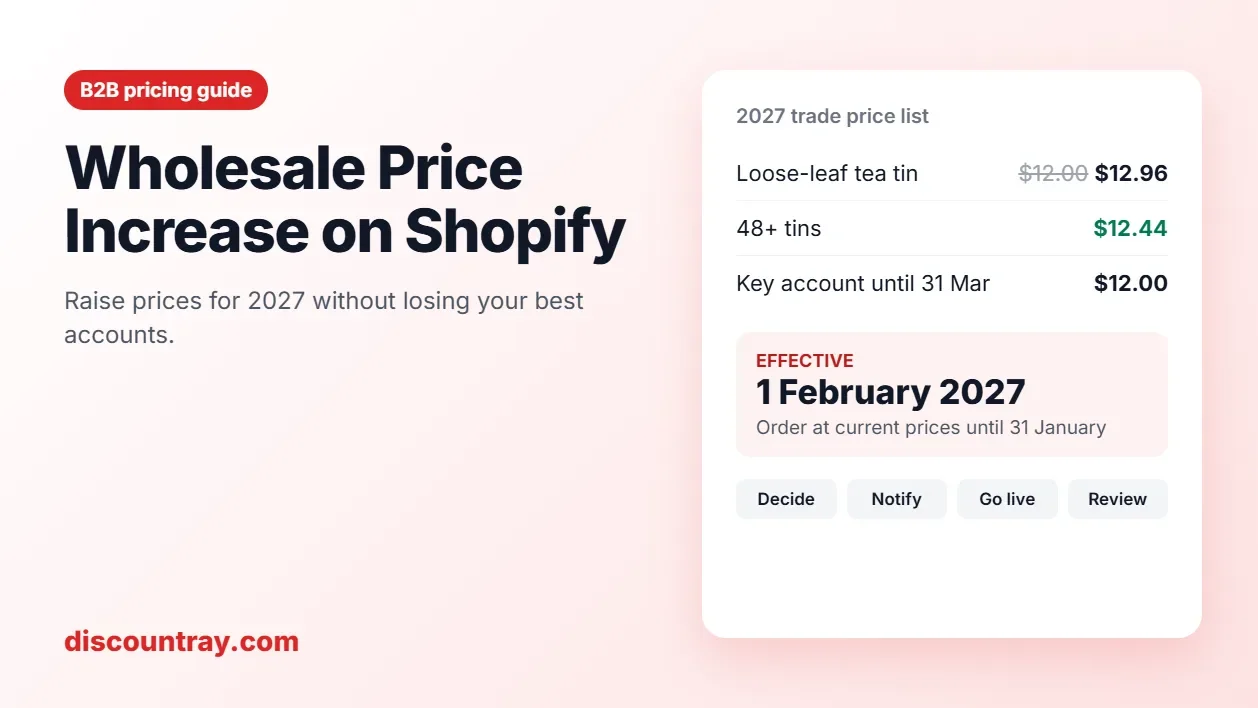
A wholesale price increase goes best when you set it product by product, tell buyers at least 30 days ahead (60 for key accounts), give them a last chance to order at the old price, and update every place a price lives in Shopify on the same day. Key accounts can keep their old price for a set time, and a volume break can soften the rise for buyers who order more.
You're not alone if 2027 needs higher prices. In NFIB's October 2026 survey, released on 10 November, a net 33% of US small business owners said they had raised average selling prices, and a net 37% planned to raise them (NFIB, via Corridor Business). Your retailers are seeing price letters from other suppliers too. What makes yours land well is a fair number, enough notice, and no surprises at checkout.
Most advice on this topic is a letter template. This guide covers the letter and the Shopify side that most guides skip: base prices, B2B catalogs, volume pricing, draft orders, discount tiers, and the date it all switches.

A 2027 timeline: decide, notify, last order at the old price, go live, review.
Key takeaways
Work out the wholesale price increase per product. Some costs rose a lot, some didn't. One flat percentage over-charges on some lines and under-recovers on others.
Decide first whether you're protecting your margin percentage or your dollar profit. They give different prices.
Give 30 days' notice as a minimum and 60 for your biggest accounts. If key accounts haven't heard yet, 1 February is fairer than 1 January.
In Shopify, prices live in more places than the product page: base prices, B2B catalogs, volume pricing, unlocked draft orders, and discount tiers. Change them together.
Use time-limited price protection for chosen accounts instead of quiet exceptions that never end.
Step 1: Work out the increase per product, not one number
Start with costs, line by line. Pull your top sellers by wholesale revenue and write down what each one costs you now and what it will cost from January: goods, packaging, freight in, and anything else that moved.
Then decide which of two things you're protecting.
Example: a tin of loose-leaf tea | Today | Keep the 50% margin | Keep the $6.00 profit |
|---|---|---|---|
Your cost | $6.00 | $6.48 (+8%) | $6.48 (+8%) |
Wholesale price | $12.00 | $12.96 | $12.48 |
Increase for the buyer | +8.0% | +4.0% | |
Profit per tin | $6.00 | $6.48 | $6.00 |
Margin | 50% | 50% | 48% |

Keeping the margin percentage needs +8%; keeping dollar profit needs +4%.
To keep a margin, the price is cost divided by (1 minus the margin). $6.48 divided by 0.5 is $12.96. To keep the dollar profit, add the cost increase to the old price: $12.00 plus $0.48 is $12.48. Our guide to calculating profit margins walks through the formulas, and MultiVariants has a guide to calculating a wholesale price from scratch.
There's no single right answer. Keeping the dollar profit is gentler and easier to explain. Keeping the margin protects you if costs rise again mid-year. Many wholesalers do the first for high-volume staples their buyers compare closely, and the second for slower lines.
Also check the retailer's side. If your tea sells for $24.00 in shops, a $12.96 wholesale price leaves the retailer a 46% margin instead of 50%. Retailers do this math. If their margin drops below what they need, they'll raise their shelf price, shrink their order, or look at another supplier. Sometimes a smaller increase now keeps a bigger account later.
Step 2: Sort your accounts before you tell anyone
Not every account should hear the news the same way. Sort them into four groups.
Group | Who | How they hear | What they get |
|---|---|---|---|
Key accounts | Your top accounts by revenue, for example your top 10 | A call or meeting, then the letter | 60 days' notice, and price protection for a set time if the relationship needs it |
Regular accounts | Order most months | The letter, by email, from a named person | 30 to 45 days' notice and a last order at the old price |
Occasional accounts | A few orders a year | The letter, plus a line on your wholesale site | 30 days' notice |
New or prospect accounts | Haven't ordered yet, or onboarding now | New price list from day one | Nothing to grandfather |

Four account groups, how each hears about the increase, and what each gets.
This isn't about being nicer to big buyers. It's about effort where the risk is. A key account that hears about a price rise from an automated email may take it as a sign it's not that key. An occasional buyer mostly needs to see the new price before it surprises them in the cart.
If you have written agreements with any accounts, read them now. Some contracts fix prices for a term or set a notice period. Those terms come first, before any of the dates below.
Step 3: Pick the date and the notice period
There's no general rule that sets how much notice a wholesale buyer must get. Your contracts set it where they exist. Where they don't, we suggest:
At least 30 days for every account.
60 days for key accounts, because they plan their own pricing and buying further ahead.
One last order at the old price, with a clear cut-off date and time.
January 1 is the obvious date, but check the calendar. It's 12 November. Thirty days before 1 January is 2 December, which falls in your buyers' busiest selling weeks, when nobody reads supplier email closely. If your key accounts haven't heard anything yet, a 1 February start with notice in early December is fairer, and you're more likely to get a considered reply instead of a rushed one.
Effective date | Send notice by (30 days) | Key-account notice by (60 days) | Last order at old price |
|---|---|---|---|
1 January 2027 | 2 December 2026 | 2 November 2026 (passed) | 31 December 2026 |
1 February 2027 | 2 January 2027 | 3 December 2026 | 31 January 2027 |
1 March 2027 | 30 January 2027 | 31 December 2026 | 28 February 2027 |
Write the timezone next to every cut-off. "Orders placed by 11:59 pm Eastern on 31 January" stops arguments.
Step 4: Find every place a price lives in Shopify
This is where many increases go wrong. You change the price on the product page, and two weeks later an account checks out at the old price, or your retail customers find their prices have gone up too. On Shopify, a wholesale price can come from several places.
Where the price lives | What changes it | What to watch |
|---|---|---|
Product base price (the retail price) | Product page, bulk editor or CSV | If wholesale is set as a percentage off retail, raising retail moves wholesale too |
B2B catalog, percentage adjustment | The catalog's overall adjustment (increase or decrease, by percent) | One number for every product without a fixed price |
B2B catalog, fixed prices | Each product or variant's price, or a CSV import | A fixed price overrides the catalog percentage for that product |
Volume pricing (price breaks) | The catalog's volume pricing, up to 10 breaks per product | Old break prices may now be below the new list price |
Draft orders and invoices | Unlocked drafts update to the current price | Lock prices on drafts you've already agreed |
Discount app tiers | The app's tier settings | A fixed $-off tier becomes a smaller % of a higher price |
Open quotes | Your quote process | Decide which price an open quote honors |

Every place a wholesale price lives in Shopify, and what to check on each.
A few of these need a closer look.
Retail vs wholesale. If your B2B catalog takes a percentage off the base price, raising the base price raises wholesale by the same percentage. That's handy if both should move. If only wholesale should move, change the catalog, not the base price (Shopify Help Center).
Fixed prices in catalogs. Catalog fixed prices can be exported and imported by CSV, and only products with fixed prices are included in the export (Shopify Help Center). Export first, change the prices in a spreadsheet, and import on the go-live date.
Draft orders. Shopify draft order prices are unlocked by default. If they're not locked, they "automatically reflect the most current product price" (Shopify changelog, 11 December 2024). An invoice you sent in December at the old price can be paid in January at the new one. Lock prices on any draft you've already agreed with the buyer.
Open quotes. If you negotiate on quotes, decide now which price an open quote honors after the change, and put the expiry date on every quote. QuotWay's guide on what happens when a catalog price changes mid-negotiation covers this in detail.
Discount tiers. A tier of "$1.00 off at 24 units" was 8.3% off a $12.00 tin. On a $12.96 tin, it's 7.7%. Decide whether to keep the dollar amount or the percentage, and update the tier on the same day.
Step 5: Make the change in Shopify on the right day
You have two clean ways to switch prices on a date.
Option A: change prices on the morning of go-live. Export catalog fixed prices the week before, prepare the new file, and import it first thing on the effective date. Then update base prices with the bulk editor or a product CSV if retail moves too. This is simple and works on every plan with B2B.
Option B: prepare a new catalog and switch on a date. Build a "2027 trade" catalog with the new prices while the old one stays active, then swap which catalog is active on the day. A Shopify rollout can schedule a catalog's status change for a catalog you created for a market (Shopify Help Center). Our guide to Shopify Rollouts for discounts explains how rollouts work.
Two limits to know before you pick Option B. On Basic, Grow and Advanced, you can have up to 3 active catalog assignments across active B2B markets, and catalogs are assigned through B2B markets, not directly to companies. On Plus, catalogs can also be assigned to companies and company locations (Shopify Help Center, B2B features by plan), but catalogs assigned directly to a company or location can't go into a rollout. If you're already near the 3-catalog cap, Option A is safer. eFoli's guide to Shopify B2B by plan compares what each plan includes.
After the switch, open your store as a test wholesale buyer and check five things: the product page price, a volume break, the cart, checkout and an old draft order.
Step 6: Protect chosen accounts for a set time
Sometimes a key account needs more time. Maybe they've printed a catalog for the season, or they're mid-way through their own budget. Price protection gives that account its old price for a fixed period, then ends on its own.
The common mistake is making these exceptions by hand: an edited invoice here, a manual draft order there. They're easy to forget and hard to end, and six months later you have accounts on three different price lists with no record of why.
A cleaner way is a discount rule that applies only to the chosen accounts and has an end date. In DiscountRay:
Choose who it's for. On Pro ($29/month), a personalized discount can target a specific company or a customer list. On Growth ($14/month), B2B pricing can target customer groups and tags, so you can tag protected accounts, for example "price-protect-2027".
Set the size so it cancels the increase. The discount that takes a price back to where it was is 1 minus (1 divided by 1 plus the increase). For an 8% increase that's about 7.4%, which takes a $12.96 tin back to $12.00. If products rose by different amounts, make one rule per band, or use a variant-specific discount (Growth) to set the old price on each variant.
Set the active dates. Personalized discounts in DiscountRay have active dates (DiscountRay), so the protection starts on go-live day and ends on, say, 31 March without anyone remembering to turn it off.

DiscountRay: a personalized discount for a chosen customer list (App Store screenshot).

DiscountRay: an offer for chosen companies (App Store screenshot).
Plans and features are from the DiscountRay App Store listing, read 12 November 2026. Check out this b2b wholesale discount app.
Tell the account how it works. "From 1 February your list price is $12.96. Until 31 March, you'll see a 7.4% discount at checkout, so you pay $12.00 a tin." Buyers who see a discount line they weren't expecting will call you. Buyers who were told won't.
One check before you rely on this: discounts and B2B prices interact. Our post on keeping retail sale discounts off wholesale prices explains how Shopify discounts reach B2B checkouts, so you can test that the protection applies only where you want it.
Step 7: Soften the increase with a volume break
A volume break gives buyers a way to pay less per unit by ordering more. That's a fair trade for you too, because bigger orders cost less to pick, pack and ship per unit.
Using the tea example: the new list price is $12.96. Add a break of 4% off at 48 tins or more, and the price drops to about $12.44. A café that orders 24 tins pays the new price. A shop that consolidates into one 48-tin order pays only 3.7% more than last year.
Buyer orders | Price per tin | vs 2026 price of $12.00 |
|---|---|---|
1 to 47 tins | $12.96 | +8.0% |
48 tins or more | $12.44 (4% off) | +3.7% |

DiscountRay quantity tiers, shown as a table on the product page (App Store screenshot).
You can set price breaks with Shopify's native volume pricing for B2B customers, with up to 10 breaks per product in a catalog (Shopify Help Center). DiscountRay's quantity discounts and tiered pricing are on its free Starter plan, and its variant-specific discounts are on Growth. Our guides to tiered pricing for bulk orders and Shopify B2B volume pricing vs DiscountRay compare the two.
Don't use a volume break to hide an increase. Buyers spot it, and it erodes trust. Present it as what it is: a better price for a bigger order.
Step 8: Write the letter
A good price increase letter is short. Buyers want five facts, in this order.
What's changing: the average increase, or the range, such as "between 3% and 8% depending on the product".
When: the effective date, with the timezone.
Why, in one or two sentences: the actual cost changes, without a lecture.
The old-price window: the last date to order at current prices.
Who to talk to: a named person, with a direct email or phone number.

The five parts of a wholesale price increase letter, in order.
Attach the new price list as a PDF or a spreadsheet. Don't make buyers log in to find out what they'll pay.
Template: regular accounts
Subject: Wholesale price update from 1 February 2027
Hi [first name],
From 1 February 2027, our wholesale prices will rise by an average of 5%, between 3% and 8% depending on the product. Your new price list is attached.
The reason is simple. Our costs for tins, packaging and freight rose this year, and we've held prices since [month year]. We've kept the increase as low as we can on the products you order most.
You can still order at current prices until 11:59 pm Eastern on 31 January. From 1 February, orders of 48 tins or more get 4% off the new price.
If you have questions, reply to this email or call me on [number].
Thank you for stocking us,
[Name, role]
Template: key accounts (after the call)
Subject: Following up on our call: your 2027 pricing
Hi [first name],
Thanks for taking the time to talk on [date]. As discussed, our wholesale prices rise on 1 February 2027. Your new price list is attached.
As agreed, your current prices stay in place until 31 March 2027. You'll see this as a discount at checkout until then, so you pay the same as today. From 1 April, the new prices apply.
I'll check in with you in March before anything changes. If anything comes up before then, call me directly on [number].
[Name, role]
When a buyer pushes back
Some will. That's normal, and it's better than silence. Decide your answers before the letter goes out, so whoever picks up the phone gives the same one.
The buyer says | A fair answer |
|---|---|
"Another supplier is cheaper." | Ask what they're comparing: the same pack size, minimum and delivery terms? If it's truly like for like, decide whether that account is worth a smaller increase on the products they buy most. |
"We can't change our shelf prices until spring." | Offer time-limited price protection to a date that matches their reprint, then the new price. |
"Can we order a big batch at the old price?" | Yes, within your last-order window and your stock. Set a sensible cap so one account doesn't clear your warehouse. |
"Why now?" | Repeat the one or two real cost reasons from your letter. Don't add new ones on the call. |
"We'll order less." | Point to the volume break. Ordering less often, in bigger orders, can bring their unit price close to last year's. |
Write down every exception you agree, with an end date, in the account's notes or as a customer tag. In three months, you'll want to know who got what and why.
A worked example: a tea wholesaler with 40 accounts
This is an example, not a customer. A tea company sells to 40 shops and cafés on Shopify B2B, on the Grow plan, with one trade catalog. Packaging and freight costs rose 8% on tins and 3% on bags.
Prices: tins rise 8% to keep the margin (slow-moving, premium). Bags rise 3% to keep the dollar profit (high-volume, buyers compare). With this store's sales mix, the average comes to about 5%.
Accounts: 5 key accounts (half the revenue), 25 regular, 10 occasional.
Dates: key accounts get a call in the first week of December, everyone gets the letter by 2 January, the change goes live on 1 February.
Shopify: the trade catalog's fixed prices are exported in January and re-imported on 1 February. Three open draft orders are locked. The "$1.00 off at 24 tins" tier becomes 4% off at 48.
Protection: two key accounts that printed spring catalogs keep 2026 prices until 31 March, through a DiscountRay discount for a customer list with active dates.
Review: in March, compare order counts and average order value by account group against March 2026.
The point isn't the exact numbers. It's that every price source, every account group and every date was decided before the first email went out.
Six mistakes to avoid
One percentage for everything. It overcharges where costs didn't move, and buyers notice which products went up most.
Raising retail by accident. If your catalog is a percentage off base prices, a base price change moves both.
Forgetting unlocked draft orders. An agreed invoice can be paid at the new price.
Leaving fixed $-off tiers untouched. They quietly become a smaller discount.
Exceptions with no end date. Protected prices should end on their own.
Telling buyers at checkout. If the first sign of an increase is a higher cart total, you've lost the conversation.
How to check it worked
Give it two months, then compare with the same months last year: order count by account group, average order value, accounts that ordered last year but not this year, and how many orders reached your volume break. A few occasional buyers dropping off is normal. A key account going quiet needs a call, not another email. For a broader look at pricing problems that show up after a change, see our guide to Shopify wholesale pricing problems.
FAQ
How much notice should I give for a wholesale price increase?
How do I tell wholesale customers about a price increase?
Should I raise all wholesale prices by the same percentage?
How do I schedule a price change in Shopify?
Can I keep old prices for some wholesale customers?
What happens to draft orders when I change prices?
Is a volume discount a good way to soften a price increase?
The bottom line
A wholesale price increase is a pricing decision, a conversation and a Shopify task, in that order. Work out the increase per product. Sort your accounts and give real notice. Update every price source on the same day, lock agreed drafts, and protect chosen accounts for a set time instead of forever.
If you want time-limited price protection by company, customer list or tag, and volume breaks that soften the change, DiscountRay on the Shopify App Store has a free plan and a 14-day free trial on paid plans. For how DiscountRay compares with other B2B pricing tools, see our SparkLayer alternatives comparison.
Sources
NFIB Small Business Optimism, October 2026 survey, released 10 November 2026 (reported by Corridor Business): https://corridorbusiness.com/nfib-small-business-optimism-remains-steady-as-uncertainty-declines-in-october/ (NFIB release: https://www.nfib.com/news/press-release/new-nfib-survey-main-street-optimism-remains-steady-uncertainty-declines-in-october/)
Shopify Help Center, Shopify B2B features by plan: https://help.shopify.com/en/manual/b2b/getting-started/plan-features
Shopify Help Center, Catalogs and pricing in B2B: https://help.shopify.com/en/manual/b2b/catalogs
Shopify Help Center, Creating and managing B2B catalogs: https://help.shopify.com/manual/b2b/catalogs/creating-catalogs
Shopify Help Center, Rollouts: https://help.shopify.com/en/manual/markets/rollouts
Shopify changelog, "Lock item prices in draft orders", 11 December 2024: https://changelog.shopify.com/posts/lock-item-prices-in-draft-orders
DiscountRay App Store listing (plans and features, read 12 November 2026): https://apps.shopify.com/discountray
DiscountRay website (personalized discount active dates): https://discountray.com/
QuotWay, catalog price changes during negotiation: https://www.quotway.com/blog/catalog-price-changes-during-negotiation

Anika Anamta Mehnaz
This article is written by Anika Anamta Mehnaz, a Content Writer and Content Marketing Strategist specializing in Shopify, eCommerce, and SaaS. With over four years of content writing experience, she creates SEO and AI search-optimized content that helps Shopify merchants make better business decisions through practical, research-backed insights. Her work covers Shopify apps, product variants, bundles, discounts, B2B commerce, and conversion-focused strategies. Outside of work, Anika enjoys watching anime, reading John Grisham novels, and discovering new ideas in digital marketing and e-commerce. If you enjoy discussing Shopify, content marketing, or online growth, feel free to connect with her. Twitter: https://x.com/mehnaz2201 Medium: https://medium.com/@mehnaz_78932
This article was reviewed by the DiscountRay Technical Support Team, who regularly helps Shopify merchants test discount setup, customer eligibility, cart behavior, and checkout-related discount issues.