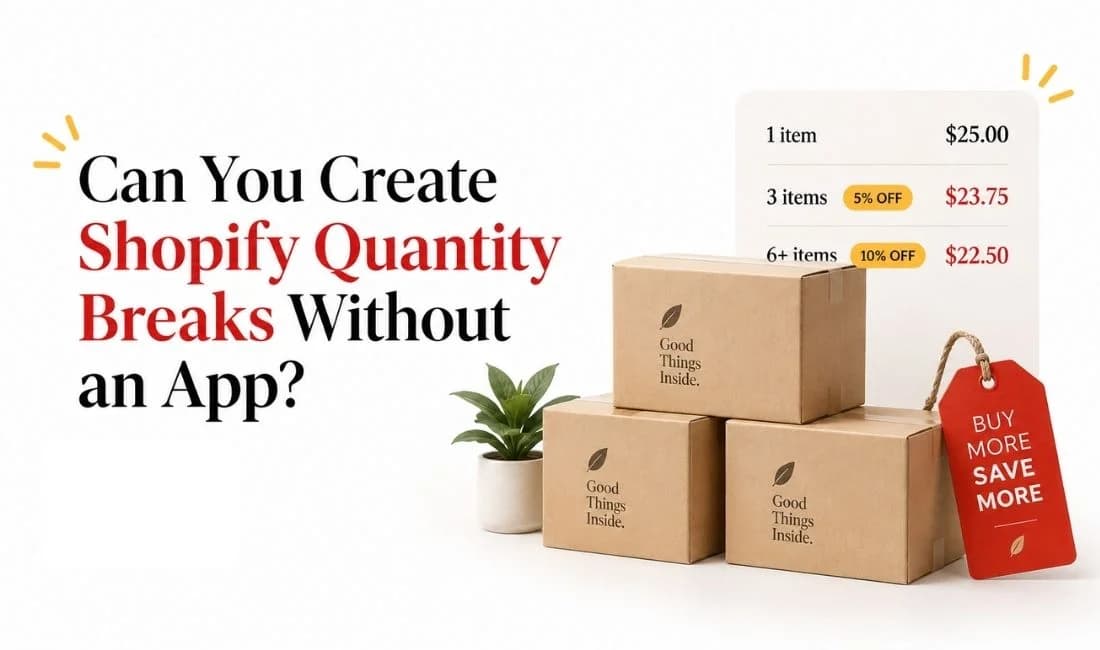
You are in Shopify Admin, looking at the Discounts section and trying to create a simple offer: buy three, save 10%. Before installing another app, it makes sense to check whether Shopify can already handle quantity breaks on its own. It is simply a pricing rule where the effective price per item falls after a customer reaches a specified quantity.
Shopify quantity breaks without an app are possible for both regular storefront customers and B2B buyers, but the two setups work differently.
For a regular DTC storefront, Shopify's native Amount off products automatic discount can apply a percentage or fixed discount after a customer reaches a minimum item quantity. For B2B customers, Shopify Catalogs provide dedicated volume pricing with multiple price breaks.
A native setup can save you an unnecessary app subscription when your pricing is simple. At the same time, a setup that calculates the right discount can still have practical limitations. It may become difficult to manage if customers cannot see the pricing tiers before adding products or if you need to maintain many separate discount ladders.
For stores that need more advanced tier structures, product-page pricing displays, or easier discount management, dedicated Shopify quantity break apps can provide more control than the native setup.
This article explains what Shopify can currently do natively, how to configure each method, and where the native approach starts becoming inconvenient.
TL;DR
Shopify can create quantity breaks without an app for both regular storefront customers and B2B buyers, but the native methods work differently.
DTC stores can use automatic Amount off products discounts with minimum quantity requirements for products or collections.
Multiple DTC tiers are possible, but each tier usually needs its own separate automatic discount, which becomes harder to manage as offers grow.
Shopify B2B Catalogs offer a more structured setup with quantity rules, multiple volume-pricing tiers, and supported storefront displays.
Native Shopify works well for simple quantity pricing, but DiscountRay becomes a more practical option when you need easier tier management and clearer customer-facing pricing.
Shopify Quantity Breaks Without an App Are Possible
There are two main native routes.
Regular storefront customers can receive native Shopify quantity discounts through automatic product discounts. You can set a percentage or fixed amount off, choose specific products or collections, and require a minimum quantity before the discount applies.
B2B customers can use Shopify's dedicated volume pricing inside Catalogs. This is a more structured pricing system because the merchant can create several quantity thresholds with specific unit prices.
Native option | Regular DTC customers | B2B customers |
Main Shopify feature | Amount off products automatic discount | B2B Catalog volume pricing |
Minimum quantity trigger | Yes | Yes |
Percentage discount | Yes | Pricing is set as a unit price at each break |
Specific products | Yes | Yes |
Specific collections | Yes | Catalogs control included products |
Multiple quantity levels | Possible through multiple separate automatic discounts | Yes, directly inside the volume-pricing setup |
Customer-facing native volume table | Not automatically generated by the discount | Supported with compatible B2B themes or theme code |
Main limitation | Each tier is a separate discount rule and does not create a product-page quantity-break widget | Requires Shopify B2B setup and B2B customer accounts |
This means a standard storefront merchant does not automatically need an app just to create a basic "buy 3, get 10% off" promotion.
Setting Up a Native Quantity Break for Regular Storefront Customers
Use an Amount Off Products Automatic Discount
For a typical retail quantity discount, the cleanest native Shopify method is an Amount off products automatic discount.
Shopify lets this discount apply to specific products or collections. It also lets you add a minimum quantity requirement. When the customer's eligible quantity reaches that threshold, the discount applies automatically.
For example, imagine that you want this offer:
Buy 3 or more bottles and get 10% off.
You can create a 10% Amount off products discount, select the bottle product, and set the minimum quantity to three. Once three eligible items are in the cart, Shopify applies the 10% product discount.
Shopify's Amount off discount settings also allow collection targeting. If the discount applies to a specific collection, only eligible items from that collection contribute toward the minimum quantity.
That makes this method more flexible than it might first appear. A merchant could create an offer such as "buy four items from this collection and receive 20% off" without requiring an app.
Step-by-Step Setup in Shopify Admin
Go to Shopify Admin and open Discounts.
Click Create discount and choose Amount of products.
Set the method to Automatic discount so customers do not need to enter a code manually.
Enter the percentage or fixed discount you want to offer. For example, enter 10% if the offer is "buy three or more and save 10%."
Under Applies to, choose the products or collections that should qualify.
Under Minimum requirements, select the Minimum quantity of items and enter the required quantity.
Choose the customer eligibility and any discount-combination settings you need, set the active dates, and save the discount.
You should then test the offer with quantities below, exactly at, and above the threshold before publishing it.
Can You Create More Than One DTC Quantity Break Tier?
You can, although Shopify does not give regular DTC stores a single native "quantity ladder" editor like its B2B Catalog feature.
Suppose you want:
Quantity | Discount |
3+ | 10% off |
5+ | 15% off |
10+ | 20% off |
You can create three separate automatic Amount off products discounts with minimum quantities of 3, 5, and 10.
When more than one eligible discount applies to the same products but the discounts cannot combine, Shopify applies the discount that gives the customer the best value. That means a customer purchasing ten qualifying items can receive the 20% discount instead of having the 10%, 15%, and 20% product discounts stacked together.
If you use this approach, do not configure the quantity tiers to stack with one another. On Shopify Plus, multiple product discounts can be configured to combine on the same line item, which would produce different mathematics from a normal quantity-break ladder.
This setup works, but every tier is still a separate automatic discount. That becomes important once you start creating several offers across different product groups.
Why Buy X Get Y Is Different
Buy X Get Y is another native Shopify discount type, but it is not the cleanest way to create a standard "buy three, save 10% on all three" quantity break.
Shopify does let you use the same product or collection in both the Customer buys and Customer gets sections. When that happens, the eligible lower-priced item is the item that receives the discount.
However, Buy X Get Y still separates qualifying items from discounted "get" items. Customers must manually add all required items to their cart, and the discount applies to the specified quantity rather than automatically turning every qualifying unit into the same discounted price.
Buy X Get Y therefore makes sense for offers such as "buy two, get one 50% off" or "buy two, get one free." An Amount off products discount is usually the clearer native choice when your actual goal is "buy at least X items, receive Y% off the eligible products."
What the Native DTC Setup Still Does Not Give You
The discount calculation can work natively, but Shopify does not automatically turn that discount configuration into a synchronized quantity-pricing widget on the product page.
Customers may therefore see the normal product price before adding the required quantity unless you explain the offer elsewhere in your theme. Shopify states that native discounts are applied in the cart and checkout, and displaying discount savings as product-page or collection-page sale pricing requires an app or custom solution.
You can manually add promotional text or a static table to your theme, but that content is separate from the discount rule. If you later change a threshold in Shopify Discounts, a manually written table will not automatically update itself.
That difference between the pricing rule and the customer-facing presentation is one of the biggest reasons merchants eventually move beyond the native setup.
Setting Up Native Volume Pricing for B2B Customers
Shopify's B2B route is much closer to what merchants normally imagine when they hear "tiered volume pricing."
Instead of creating several separate discount rules, you can define price breaks directly in a B2B catalog.
B2B Volume Pricing Is No Longer Shopify Plus Only
This is one area where older information can be misleading.
On April 2, 2026, Shopify expanded key B2B features to Basic, Grow, and Advanced plans. Native B2B features, including company profiles, catalogs, quantity rules, and volume pricing, are now available on Basic, Grow, Advanced, and Shopify Plus.
There are still plan differences.
Basic, Grow, and Advanced stores can assign up to three active catalogs across their B2B markets. These plans need to use Shopify's new Markets for B2B catalog features.
Shopify Plus supports unlimited B2B market catalogs and can assign catalogs directly to specific companies and company locations.
What Has to Be Set Up First
B2B volume pricing is not a general storefront discount that automatically applies to every visitor.
You first need Shopify B2B configured. B2B customers must be represented through companies and company locations, and customer accounts must be activated. Customers must sign in before they can access their B2B-specific products and pricing.
You also need a catalog containing the products and pricing that should apply to those B2B buyers.
A regular shopper who is not associated with a company location remains a DTC customer and does not receive the B2B catalog experience.
How B2B Quantity Breaks Work
Inside Markets > Catalogs, Shopify lets you configure quantity rules and volume pricing.
Quantity rules control minimums, maximums, and increments. Volume pricing controls the unit price that applies after customers reach specified quantities.
For example:
Quantity | Unit price |
1+ | $20.00 |
20+ | $18.50 |
50+ | $17.75 |
100+ | $16.00 |
Unlike the DTC automatic-discount workaround, these are actual B2B price breaks stored as catalog pricing.
Shopify currently supports up to 10 price breaks per product, and those breaks apply to each variant. The buyer must reach the required quantity for a particular variant to qualify for that variant's price break.
Shopify documents the full setup under B2B quantity rules and volume pricing.
Unlike a percentage discount, Shopify B2B volume pricing lets you set a specific unit price at each quantity threshold, which is one of the key differences between quantity breaks, volume discounts, and tiered pricing.
B2B Pricing Can Be Displayed on the Storefront
The B2B route also has an important advantage over the regular DTC automatic-discount method: Shopify can display quantity rules and volume pricing to B2B customers on the storefront.
Shopify's free themes support quantity rules from version 8.0.0 and volume pricing from version 11.0.0. Shopify also provides Liquid examples for merchants using custom themes.
That means it would be inaccurate to say Shopify B2B has no native customer-facing volume-pricing display. The display is supported, although the exact implementation depends on the theme being used.
Where the Native Options Hit a Wall
Shopify's native tools are more capable than a simple "you need an app" answer suggests. They still have limitations that matter once a pricing strategy becomes larger or more customer-facing.
DTC Tiers Are Separate Discount Rules
A DTC merchant can create several quantity levels, but Shopify does not provide one native DTC quantity-break object containing the complete ladder.
A three-tier offer generally means three separate automatic discounts.
That is manageable for one promotion. It becomes harder to maintain when several product groups each need different thresholds and percentages.
Shopify Has a 25 Active Automatic Discount Limit
Shopify currently allows a maximum of 25 active automatic discounts, and this total includes app-based automatic discounts.
This matters more when quantity tiers are built as separate DTC discounts.
If one product group needs three quantity levels, that promotion can consume three active automatic-discount slots. Several independent pricing ladders can therefore use the available capacity much faster than a single-tier promotion.
Discount Combination Rules Still Matter
It would also be incorrect to say Shopify allows only one discount in a cart.
Shopify supports several discount combinations. Product discounts can combine with eligible order or shipping discounts when the combination settings allow it, and product discounts can apply to different products in the same order.
Multiple product discounts on the same line item are different. Shopify currently reserves same-line product-discount stacking for Shopify Plus.
When discounts cannot combine, Shopify evaluates the eligible discounts and applies the better discount or combination for the customer.
This behavior helps a native DTC quantity ladder work, because the larger eligible tier can replace the smaller one rather than stacking with it. However, it also means you need to test the quantity offered alongside any seasonal, loyalty, or product-specific promotions already running on the same products.
Buy X Get Y has additional restrictions. On plans other than Shopify Plus, products participating in an active Buy X Get Y discount are ineligible for further product discounts. That is another reason not to use Buy X Get Y as the default method for a straightforward percentage-based quantity break.
DTC Pricing Is Not Automatically Explained Before the Cart
The discount can be correct while the merchandising is still weak.
A shopper looking at a product page may not know that three units unlock 10% off, five units unlock 15%, and ten units unlock 20% unless you add that information separately.
For a small promotion, adding text manually may be enough. For frequently changing offers, many SKUs, or several tier structures, maintaining the displayed message separately from the actual discount settings introduces more room for mistakes.
B2B Catalog volume pricing avoids more of this problem because supported B2B themes can display the configured volume pricing.
When Native Shopify Quantity Discounts Are Enough vs When You Need an App
Native Shopify tools are a sensible choice when the pricing logic is simple and the storefront does not need an advanced quantity-break interface.
Your requirement | Native Shopify likely enough? |
One DTC threshold, such as 3+ = 10% off | Yes |
One collection-wide threshold | Yes |
Two or three DTC tiers that you are comfortable managing separately | Usually |
Customer does not need a dynamic product-page pricing table | Yes |
B2B volume pricing for logged-in company buyers | Yes |
Several B2B price breaks per product | Yes |
Many independent DTC pricing ladders | Native setup becomes harder to manage |
Dynamic quantity-break table on regular product pages | An app or custom development is more practical |
Complex variant, customer, or eligibility logic | Often app territory |
One interface for DTC and B2B quantity-pricing workflows | An app may simplify management |
If your store mainly needs a single native Shopify quantity discount, there is little reason to install an app just for the sake of having one.
The decision changes when the offer needs a customer-facing tier table, many independently managed pricing ladders, more advanced targeting, or a simpler way to control multiple tiers as one offer.
FAQ
Can Shopify do quantity breaks without an app?
Is Shopify's B2B volume pricing only available on Shopify Plus?
Can I create more than one quantity break tier natively?
Will a Buy X Get Y discount conflict with my other discounts?
Does a native quantity break show a pricing table on the product page?
Conclusion
You can create Shopify quantity breaks without an app, and for simple offers, the native setup may be all you need. A regular storefront can use automatic product discounts with minimum quantity requirements, while B2B stores can use Shopify Catalog volume pricing for more structured price breaks.
The real limitation appears when the pricing becomes harder to manage or harder for customers to understand. Multiple DTC tiers mean maintaining separate discount rules, and native discounts do not automatically give regular storefront customers a clear quantity-pricing table before they add products to the cart.
If your store has reached that point, a dedicated solution can make the setup much easier to manage. DiscountRay lets you create quantity-based and tiered pricing rules while giving customers a clearer view of the discounts available to them. Instead of building and maintaining several separate native discount rules, you can manage the pricing structure from one place and make the offer easier for shoppers to understand before they buy.
So, start with Shopify's native tools when your quantity pricing is simple. If the pricing strategy grows beyond what is practical to maintain natively, DiscountRay gives you a more structured way to keep those discounts manageable and visible.

Syeda Rehnoma Tanzom
This article is written by Syeda Rehnoma Tanzom, an SEO content writer with 3+ years of experience specializing in eCommerce content. What makes the work here a little different? A close collaboration with support teams to understand what merchants are actually going through, their frustrations, their questions, and their wins. The goal is simple: write content that speaks to real problems, not just search engines. When not buried in keywords and content briefs, you'll find her nose-deep in a good book, binge-watching true crime documentaries or psychological thrillers, and occasionally switching gears with a feel-good rom-com.
This article was reviewed by the DiscountRay Technical Support Team, who regularly helps Shopify merchants test discount setup, customer eligibility, cart behavior, and checkout-related discount issues.